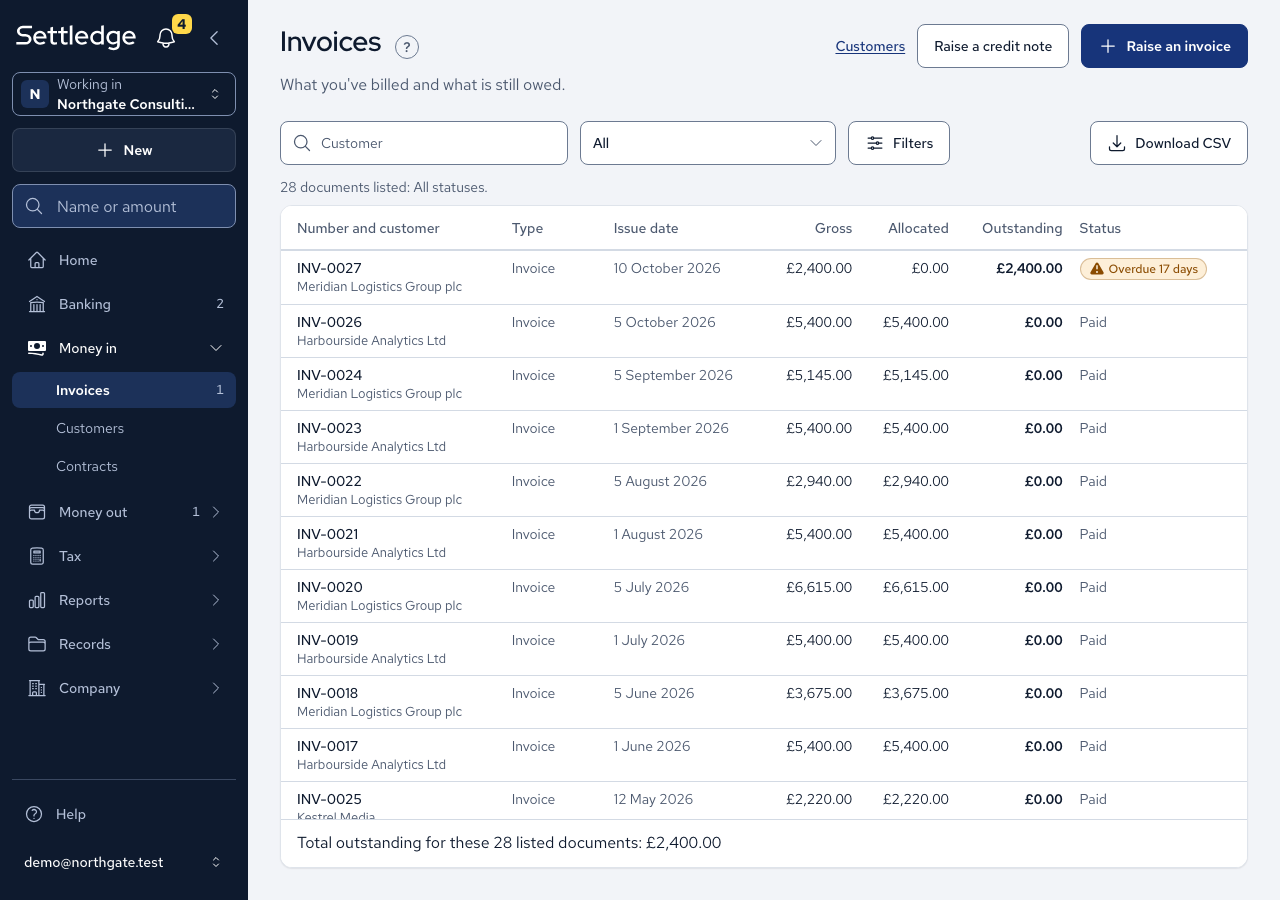
An invoice is a bill you send to a customer. Once you issue it, it takes the next number, its figures are fixed, and the app prepares a PDF you can send.
- Open Money in, then Customers, and press Add a customer. Enter the Name, Address, Email and Payment terms in days, then press Save customer.
- Press Raise an invoice, pick the customer in Customer and press Create draft. Their name and address are filled in for you. The draft opens on Edit draft.
- Under Lines, press Add a line for each item: Description, Quantity, Unit price and VAT rate. The preview shows net, VAT and gross as you go.
- Press Issue…, enter the issue date and confirm with the button that carries the invoice number. If you left the due date blank, the customer's terms set it.
- On the invoice, press Download PDF. If it says no PDF has been generated, press Generate now.
- Press Send. Check the address, subject and message, then press Send again. The app attaches the PDF, records the date, and copies you in unless you untick Send me a copy.
- If you sent it another way, press Mark as sent…, enter who it went to and confirm.
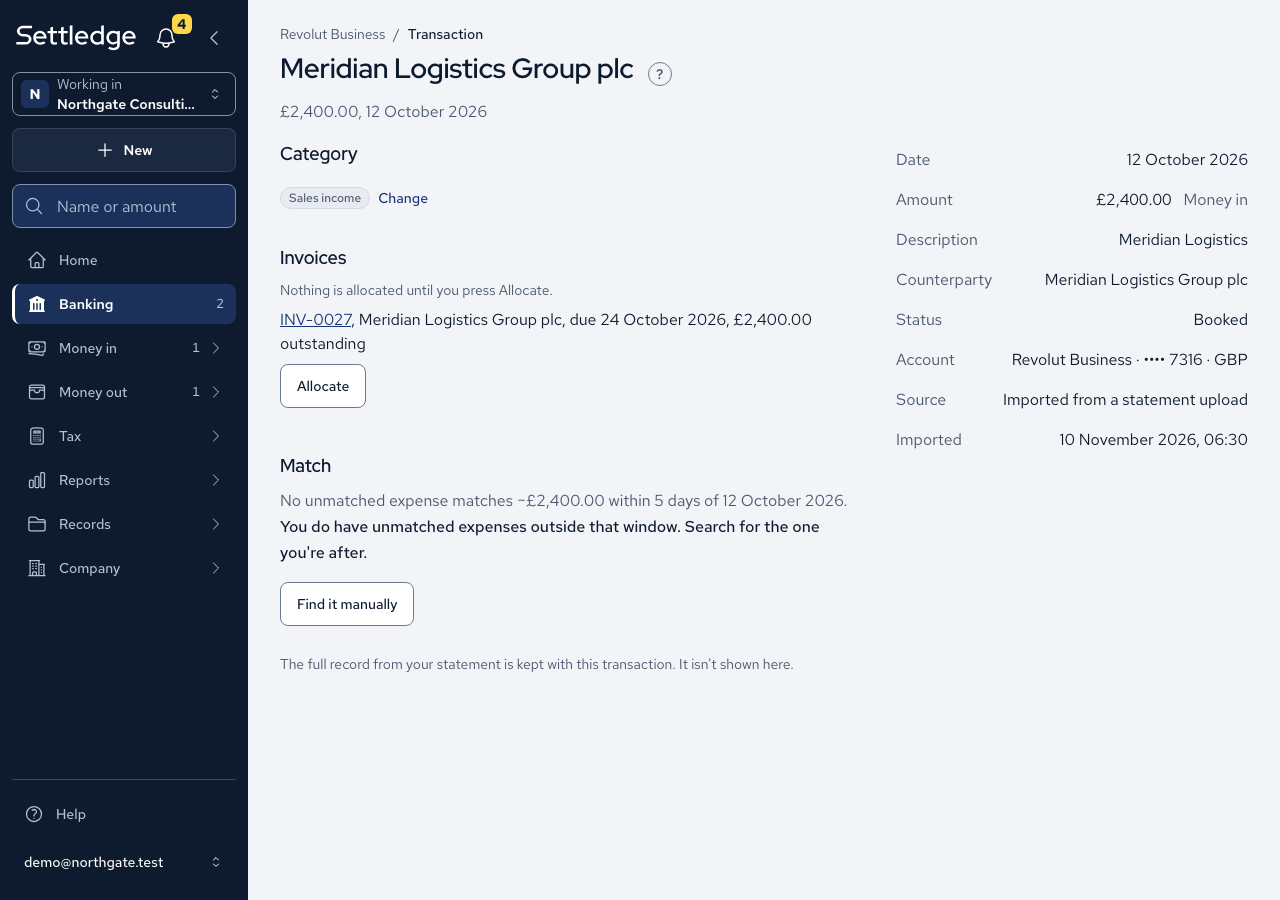
- When the money arrives, open its bank line from Banking. If the line is income that no invoice has claimed, an Invoices section lists the open invoices it can pay, such as "INV-0027, Meridian Logistics Group plc, due 24 October 2026, £2,400.00 outstanding". Press Allocate and accept the confirmation. You come back to the line, which now lists the invoice.
- You can also start from the invoice. Under Suggested payments, press Allocate beside the payment it was for.
Cases
- A due date you type always wins over the customer's terms. With zero-day terms the invoice is due on issue.
- An issued invoice keeps the address it was issued with, even if the customer moves later.
- An issued invoice cannot be edited. Raise a credit note, or split it into parts.
- VAT cannot be charged on an invoice dated before your registration date.
- Without a registered office in Settings, the invoice is still issued and numbered, but no PDF is made. The Invoice PDF section says so and links to Record the registered office in Settings.
- The PDF prints the stored VAT. Three lines of £0.13 show £0.09 in total, never £0.08.
- A PDF is made only for invoices in pounds.
- An invoice is sent once. A second attempt tells you when it went, and a failed send records nothing.
- An unpaid invoice shows as overdue once its due date has passed.
- Once a line is allocated, its Evidence cell on the account page reads "Invoice INV-0147" and links to the invoice. A line only partly allocated adds "£400.00 of this line is not allocated". A credit note settled by money going out reads "Credit note CN-0003".
- A line is offered only invoices whose whole outstanding amount fits what is left of it, and a refund line is offered credit notes, never invoices. A £0.00 line, an uncategorised line and a line in a category that is not sales income are offered nothing, and the page says why in one sentence.
- A line dated inside a filed VAT quarter shows no Allocate button.
- To undo an allocation, open the invoice or credit note and remove it there. The line's page says which one.
- Accountants can read, send and generate invoices, as members can.
Good practice
- Charge VAT on the invoice as normal. The flat rate is applied only in your VAT return.
- Record the registered office in Settings before you issue your first invoice.
- Allocate each payment to its invoice. A suggestion is never applied until you press the button.