A salary payment is not an expense you can match, so it waits in To match until you link it to the salary record it pays. Linking changes no figure: the salary was counted when you recorded it.
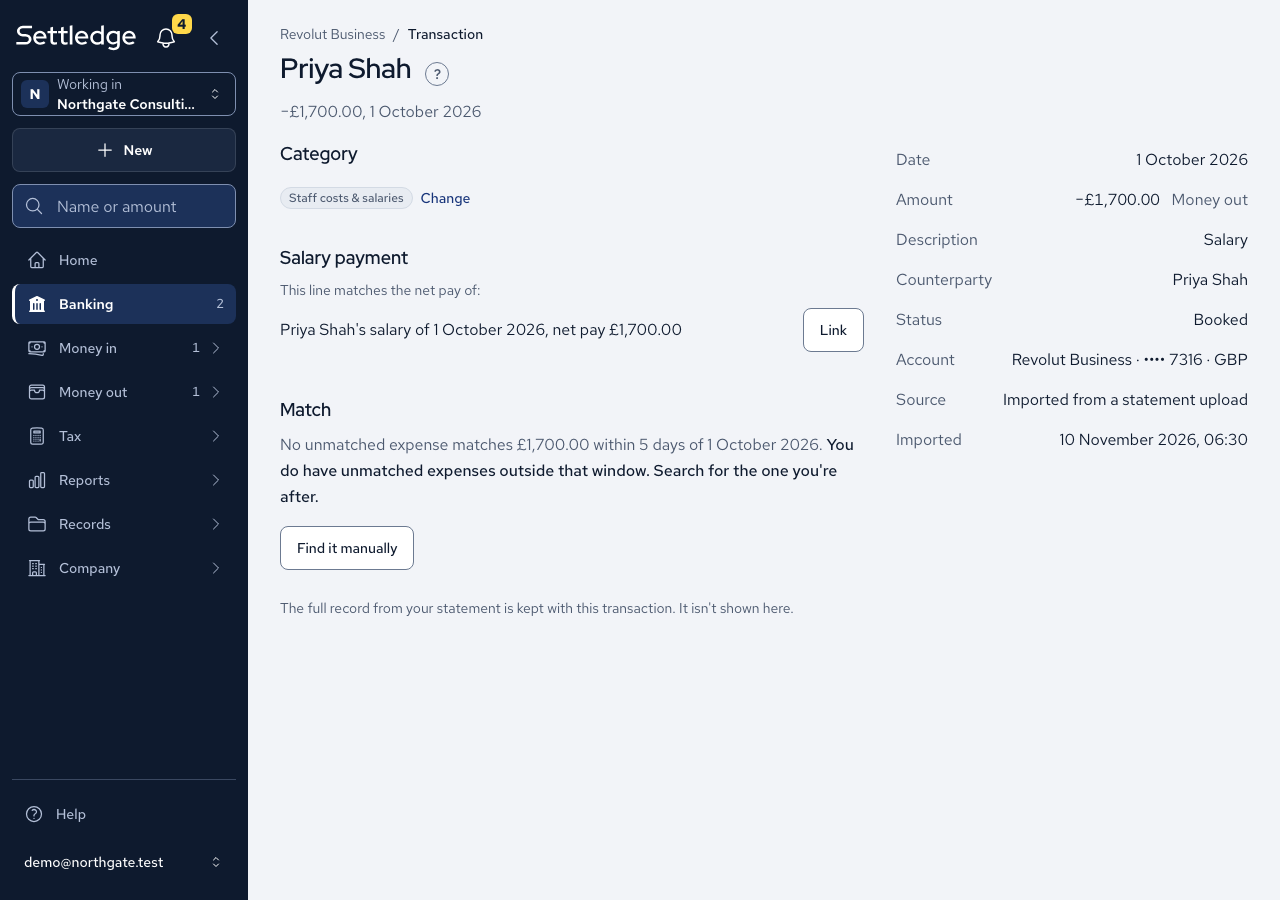
- Record the month's pay first: open Money out, then Salary, and press Record a salary.
- Open Banking, then To match, and open the line that paid it.
- In the Salary payment section, the line offers each salary record whose net pay is exactly its amount, for example "Priya Shah's salary of 1 October 2026, net pay £1,700.00". Press Link beside the right one.
- The line leaves To match, and its Evidence cell on the account page reads "Salary: Priya Shah, 1 October 2026", linking to the record.
- To undo it, press Unlink. The line returns to To match.
Cases
- Only the exact net pay links. A part payment or one payment covering several people is refused with both figures, such as "The line is −£1,234.55 but net pay is £1,234.56."
- A reversed salary links to the money coming back in, and the original is never offered that line.
- One line pays one salary record, and one record is paid by one line.
- A line dated inside a filed VAT quarter can be neither linked nor unlinked: "The VAT return covering this date is filed, so this can't be changed."
- The payment to HMRC for PAYE and NIC has no Link button and is not in To match. It settles the PAYE ledger instead.
- Members who can only read see no Link or Unlink button.
Good practice
- Record the salary before you look for its bank line. With no record of that exact net pay there is nothing to link.
- Link each month as the payment lands, so To match shows only what still needs a decision.