Read the transcript
To give your accountant access, open Settings, then Members.
Under Invite someone, type your accountant's email address.
Choose the Accountant role. An accountant keeps the records, takes exports, files VAT returns and connects HMRC, but can't change settings or manage members.
Press Send invitation.
The invitation is on its way. Your accountant opens the link in the email to join. You can change or remove their access from this page at any time.
An invitation gives your accountant their own sign-in to your company. The accountant role keeps the records, takes exports and files VAT returns, and can connect the company to HMRC. It cannot change settings or manage members.
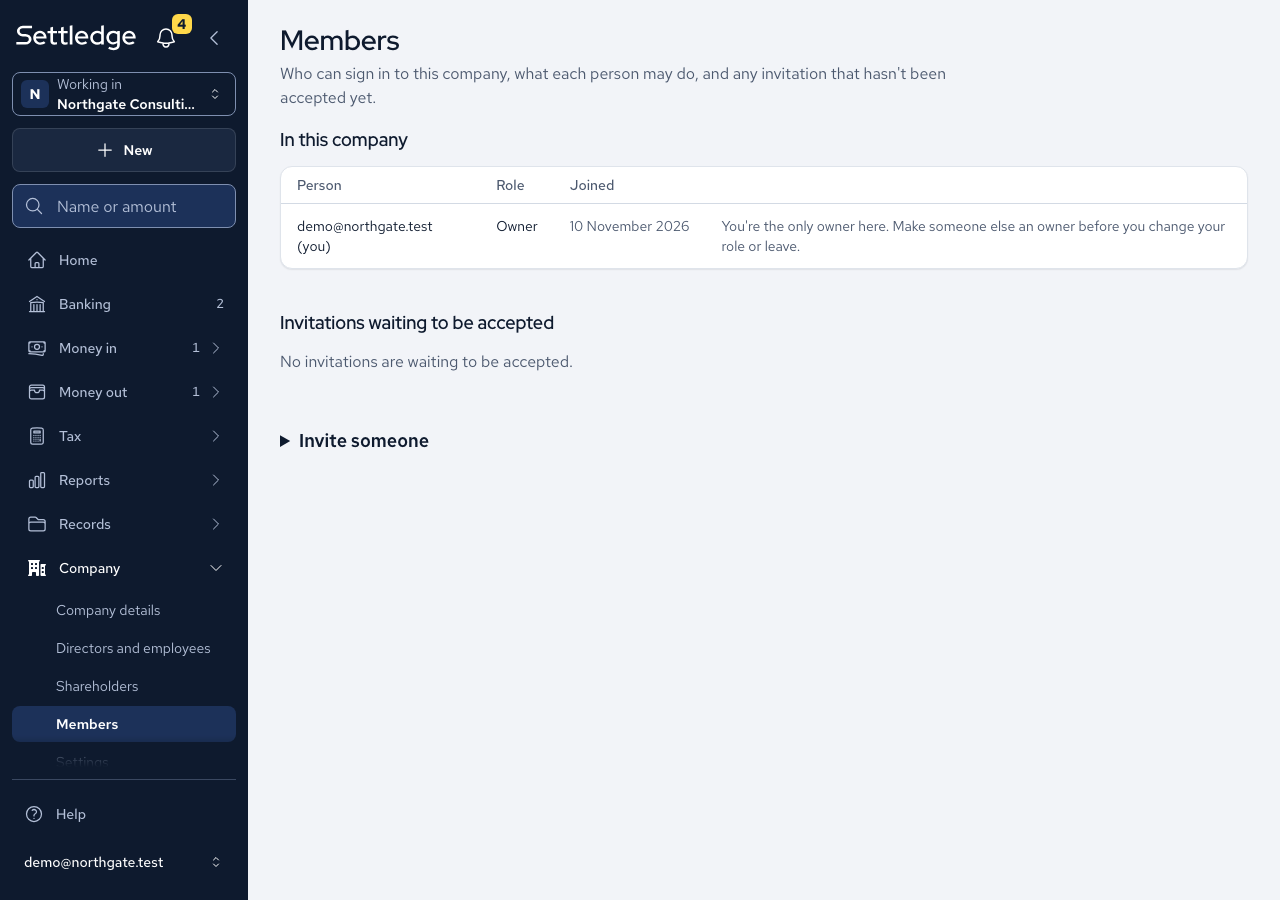
- Open Members in the Company section. Only owners and admins can see it.
- Open Invite someone, enter their Email and choose Accountant as the Role.
- Press Send invitation. The invitation is listed with its expiry date until it is accepted. It lasts seven days.
- Your accountant opens the link. They see your company's name, who invited them and the role. A new user sets a password and accepts. An existing user signs in and accepts, and holds both companies.
- They set up two-step sign-in, then land on your Home screen. They are never asked to create a company.
Cases
- An accountant can read every screen, record expenses, invoices and matches, take the Quarter-end pack and Export everything, and finalise and submit a VAT return. They can connect and disconnect HMRC, and the HMRC screen says who did it and when. They cannot change settings or manage members.
- Every change an accountant makes carries their name in the history.
- A link that has expired, been used or been revoked looks the same as one that never existed.
- The signed-in address must match the invitation, and you are told which address it was sent to.
- Inviting someone already in the company is refused. Inviting an address with an open invitation sends it again with a fresh link.
- Revoking an invitation asks you to confirm and names the address.
- Sign-up stays closed to the public. The invitation is the permission.
Good practice
- Choose Accountant, not Member. A member records but cannot export. An accountant records, finalises and submits VAT returns, connects HMRC with their own agent sign-in, and exports, but has no access to settings or members.
- Give each person their own invitation, never your sign-in, so every record says who made it.
- When the engagement ends, press Remove beside them on Members and confirm with Remove from company. Everything they recorded stays in your books.